Interface tour
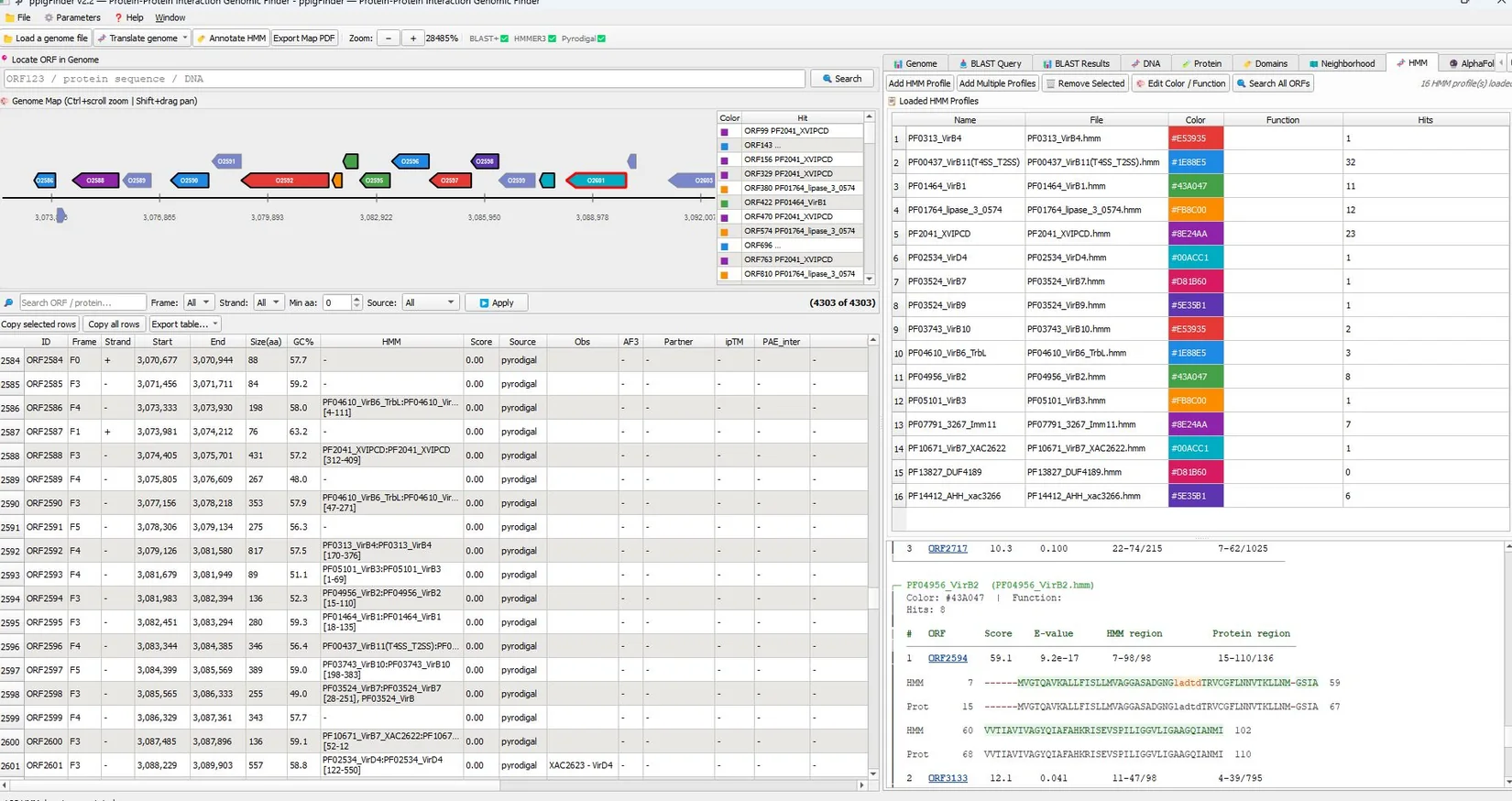
The imported ppigfinder application is a Python/PyQt desktop program. This page distinguishes an illustrative window diagram from real screenshots in the original v2.2 user guide. Before following a menu sequence, check the version displayed in your application.
Main regions
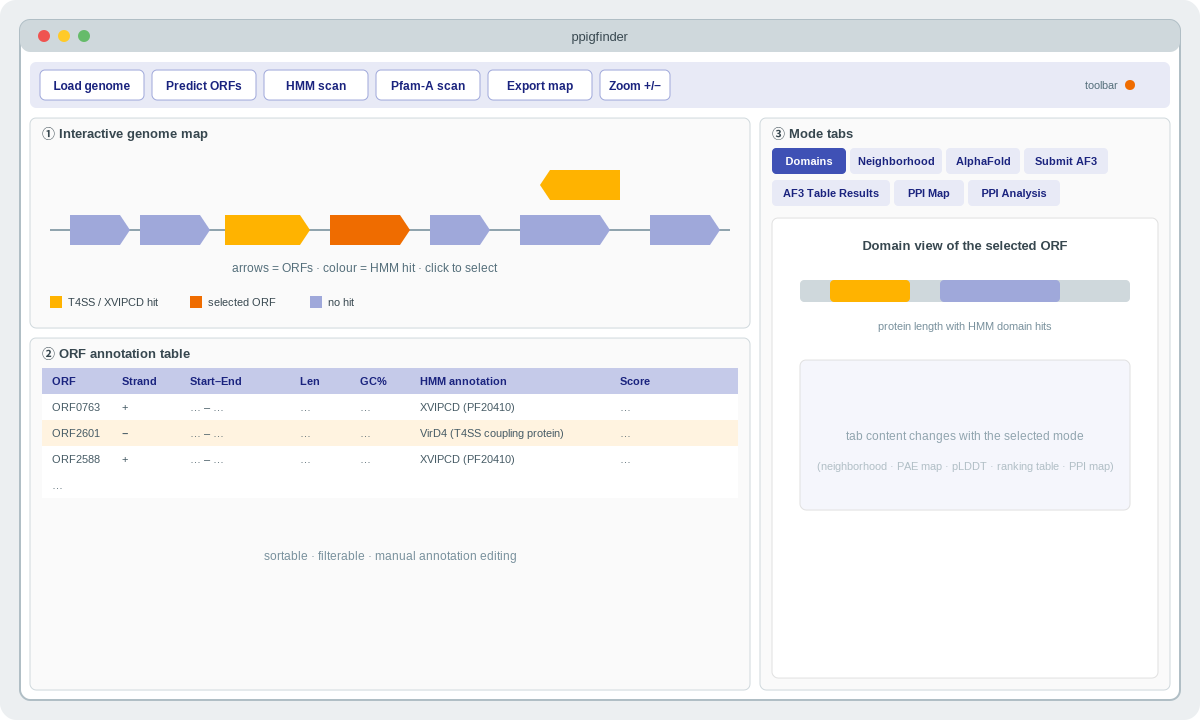
| Region | Function |
|---|---|
| Toolbar and menus | Open a genome, translate/predict ORFs, access annotation and export features. |
| Genome map | Examine genomic coordinates, strand direction and local context. |
| ORF table | Filter and select predicted ORFs, sequence details and annotation records. |
| Analysis tabs | Inspect genome, BLAST, HMM, AlphaFold jobs, results and other views, depending on version. |
Earlier screenshots (v2.2)
Startup and backend indicators
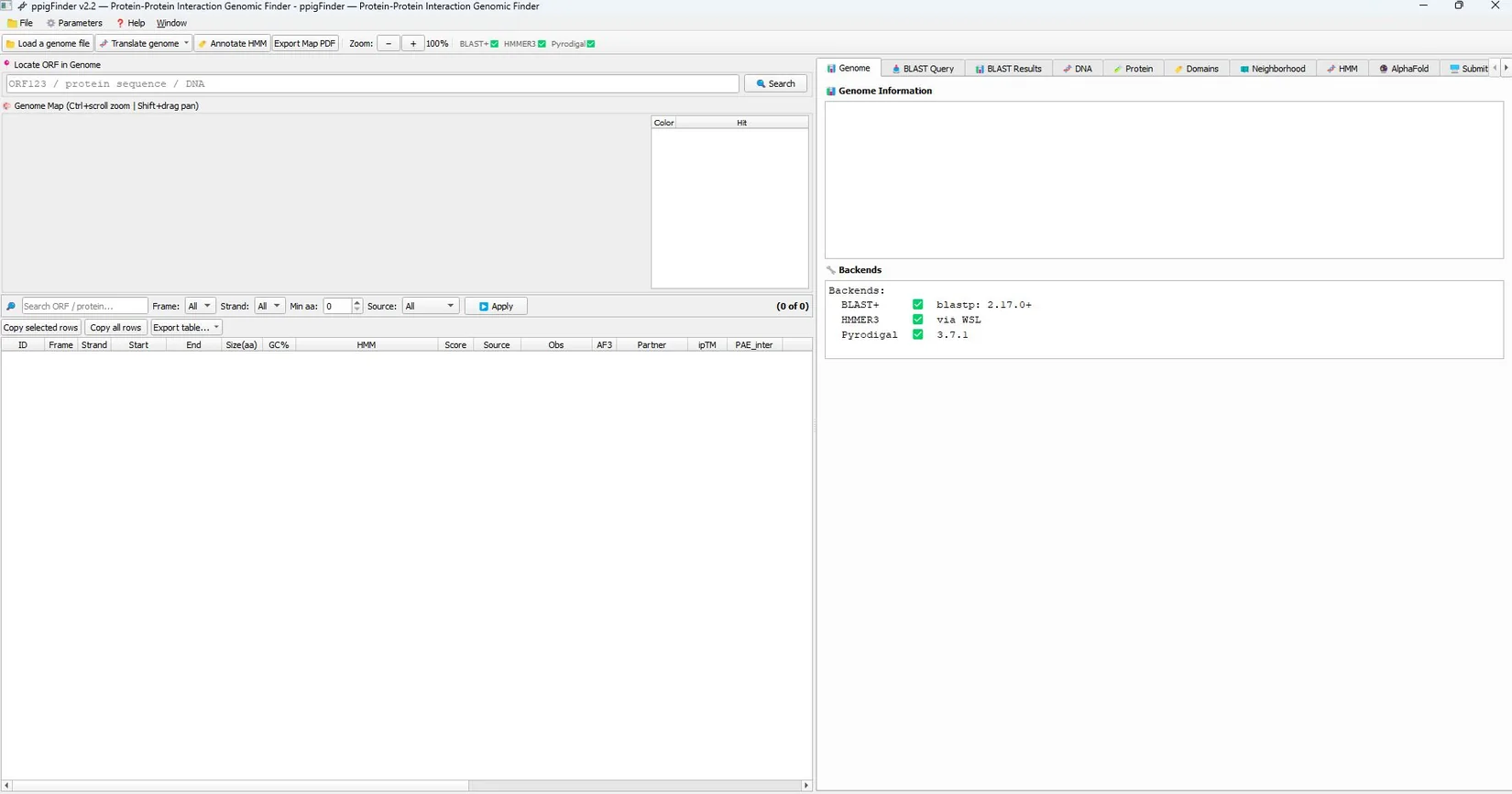
The screenshot shows an older UI with status indicators for optional external tools. A green indicator means the corresponding backend was detected in that environment, not that all modes or versions were validated.
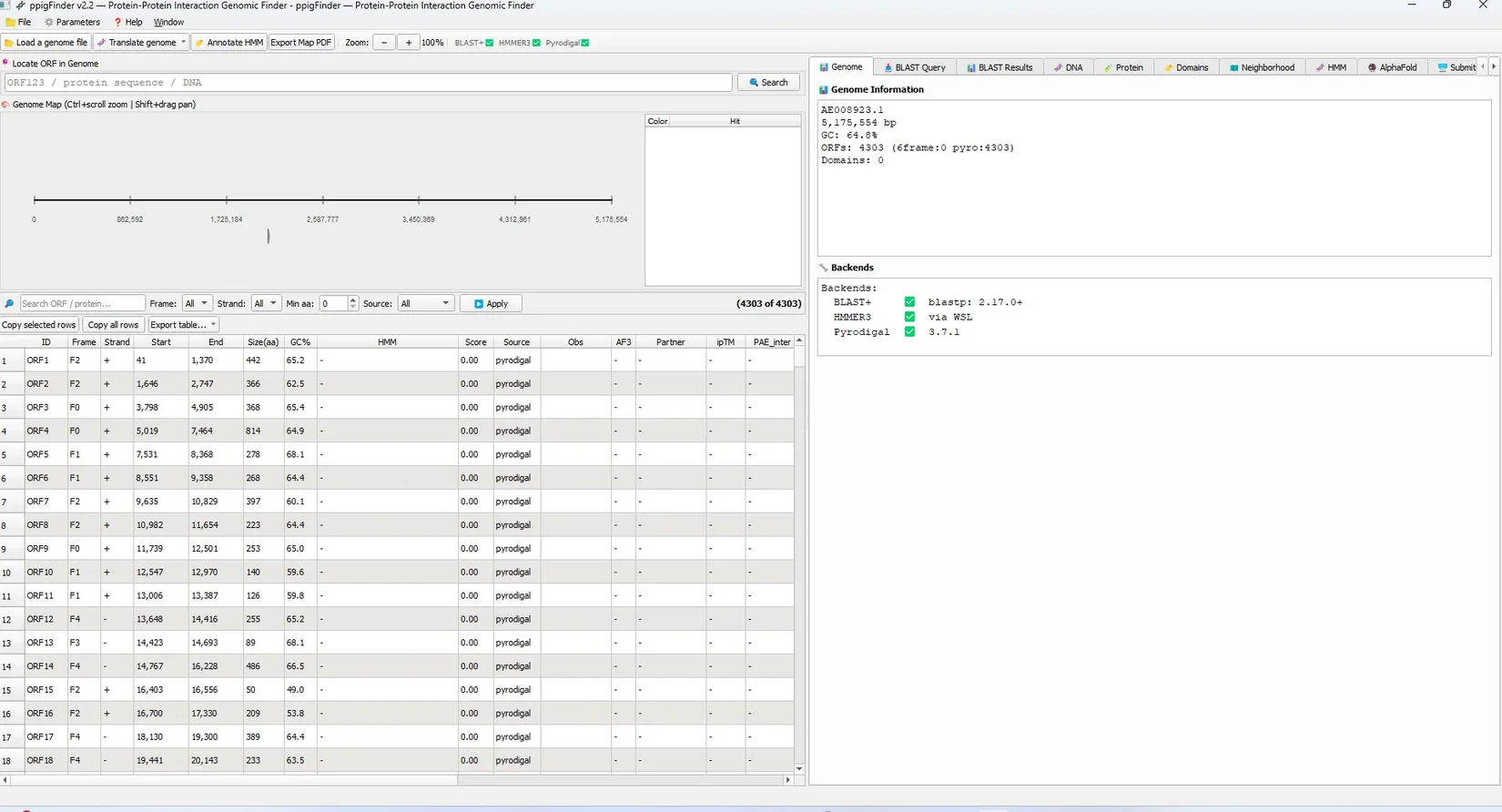
ORF prediction
BLAST and HMM
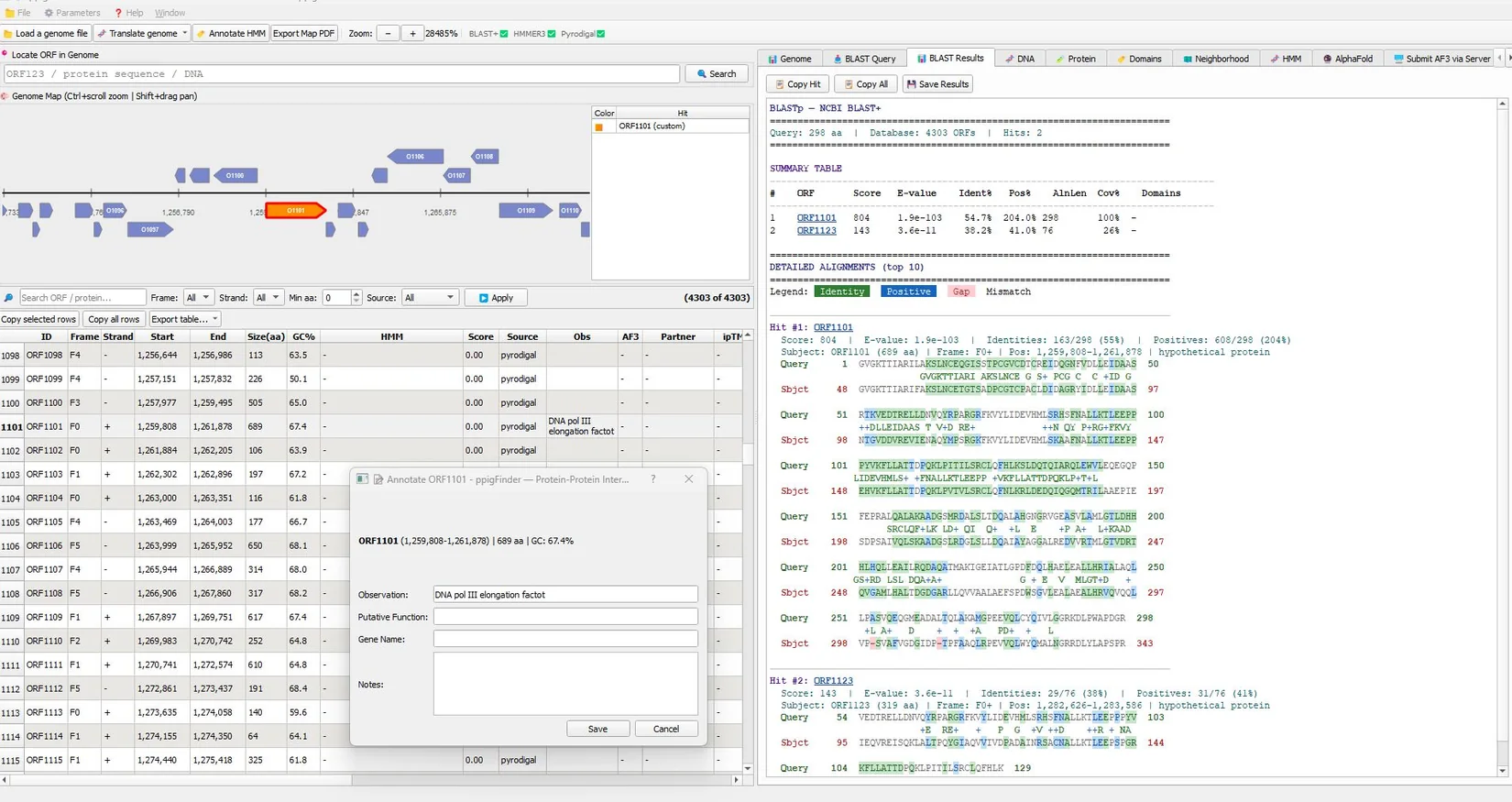
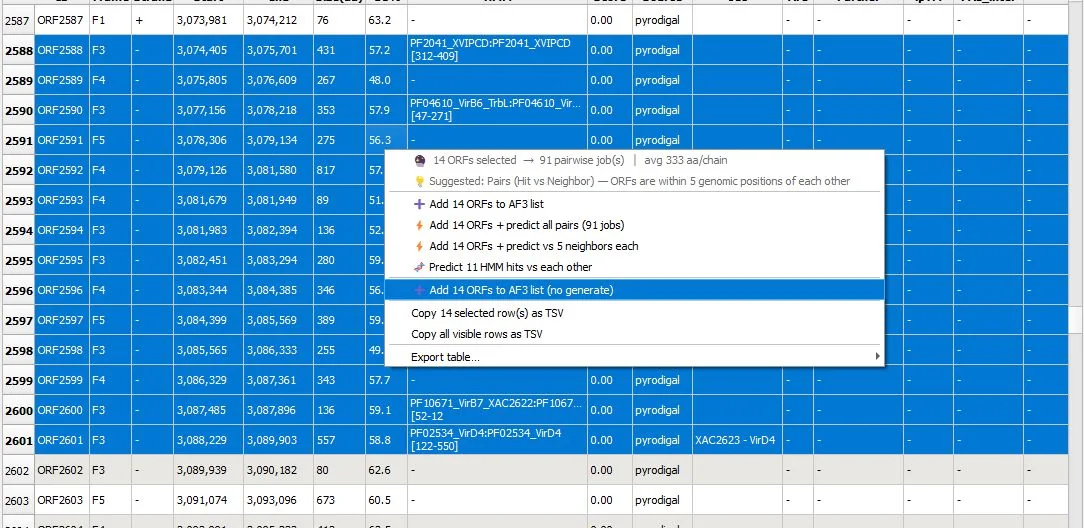
Selecting interaction jobs
PPI design strategies
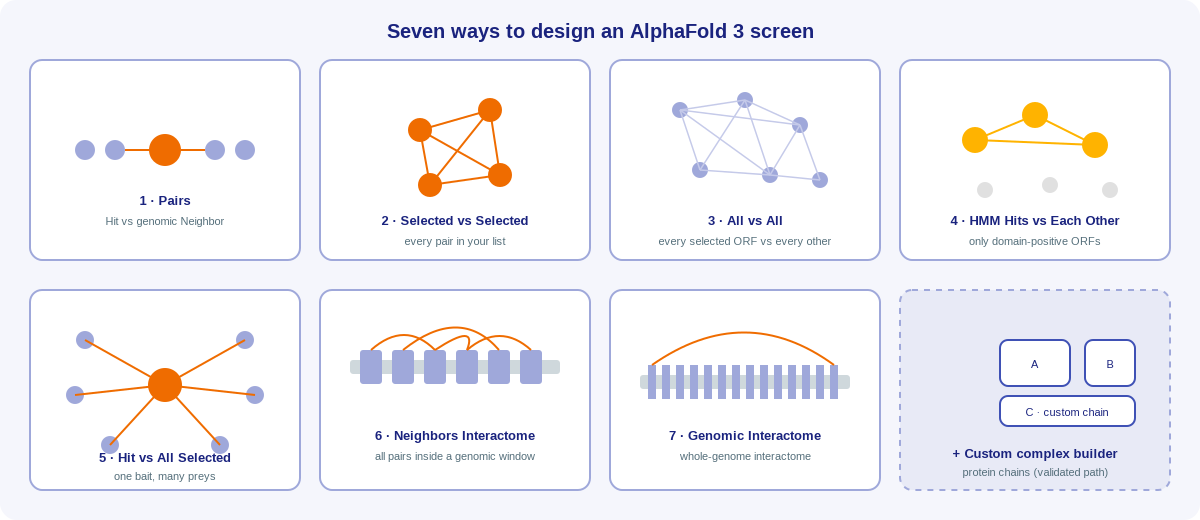
The seven strategies above reflect concepts in the supplied visual guide. Availability and exact labels vary between program versions. The generic structural-prediction input writer currently implements protein targets; do not assume that DNA/RNA or ligand writers are fully available.
Next steps
Continue to the complete guide, AlphaFold / PPI workflows, or Xanthomonas example.