User guide
A short tour of the modules. Every screenshot is from the fictional demo lab (biobank-local setup --demo).
Samples
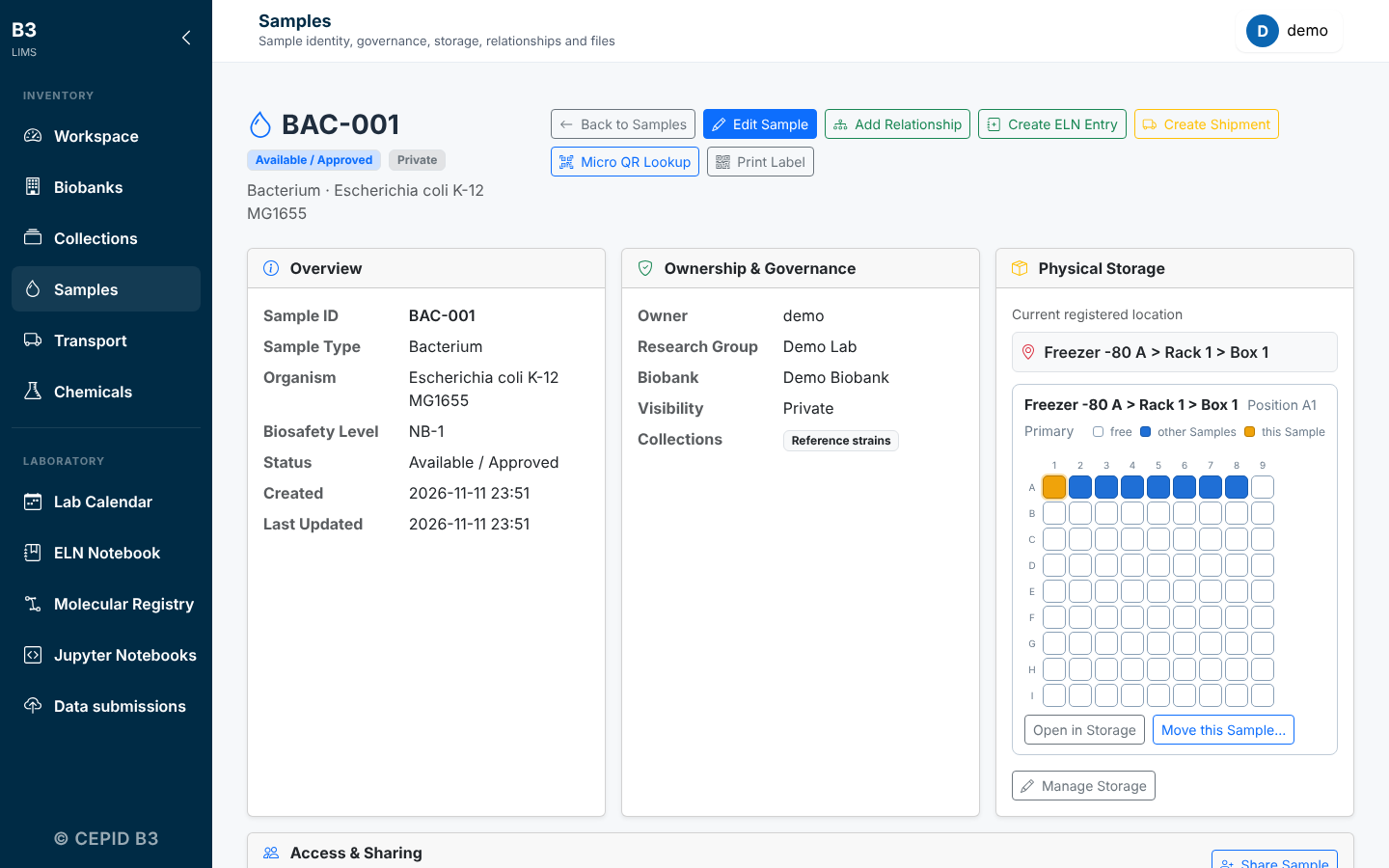
Samples hold the identity of a biological item: ID, type (bacterium, phage, plasmid, other), organism, biosafety level, owner, research group, biobank and collections. Type-specific fields appear for the type you pick, and IDs get a prefix per type (BAC-, PHA-, PLA-, SMP-).
Many samples at once: sample tables
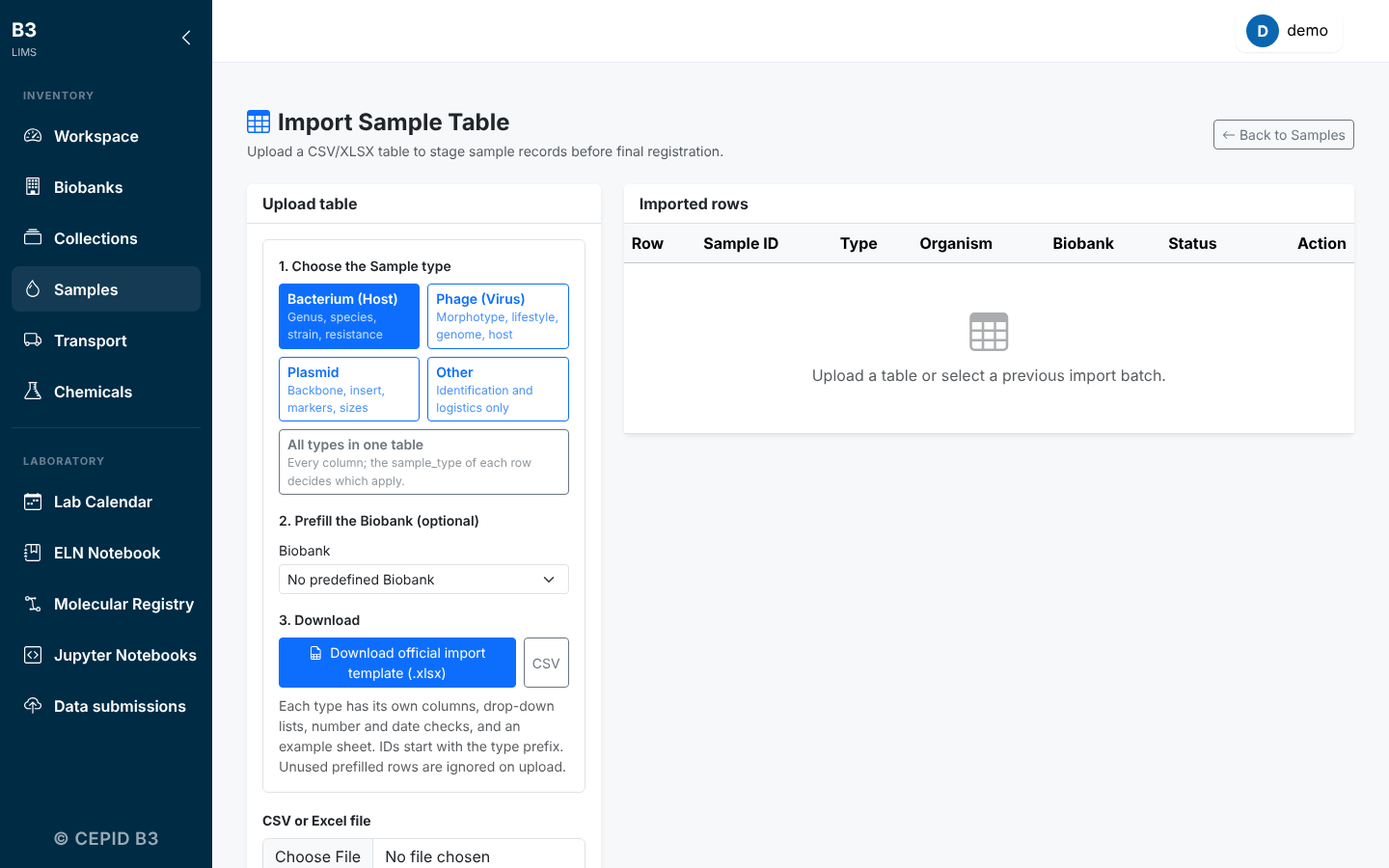
Open Samples > Import, choose a sample type and download its template (Excel or CSV). Columns are typed (numbers, dates, drop-down lists), an example sheet shows a filled row, and the file is checked when you upload it. A row with a problem shows an Edit button: fix it on screen and it is validated again, so you never have to re-upload.
Storage
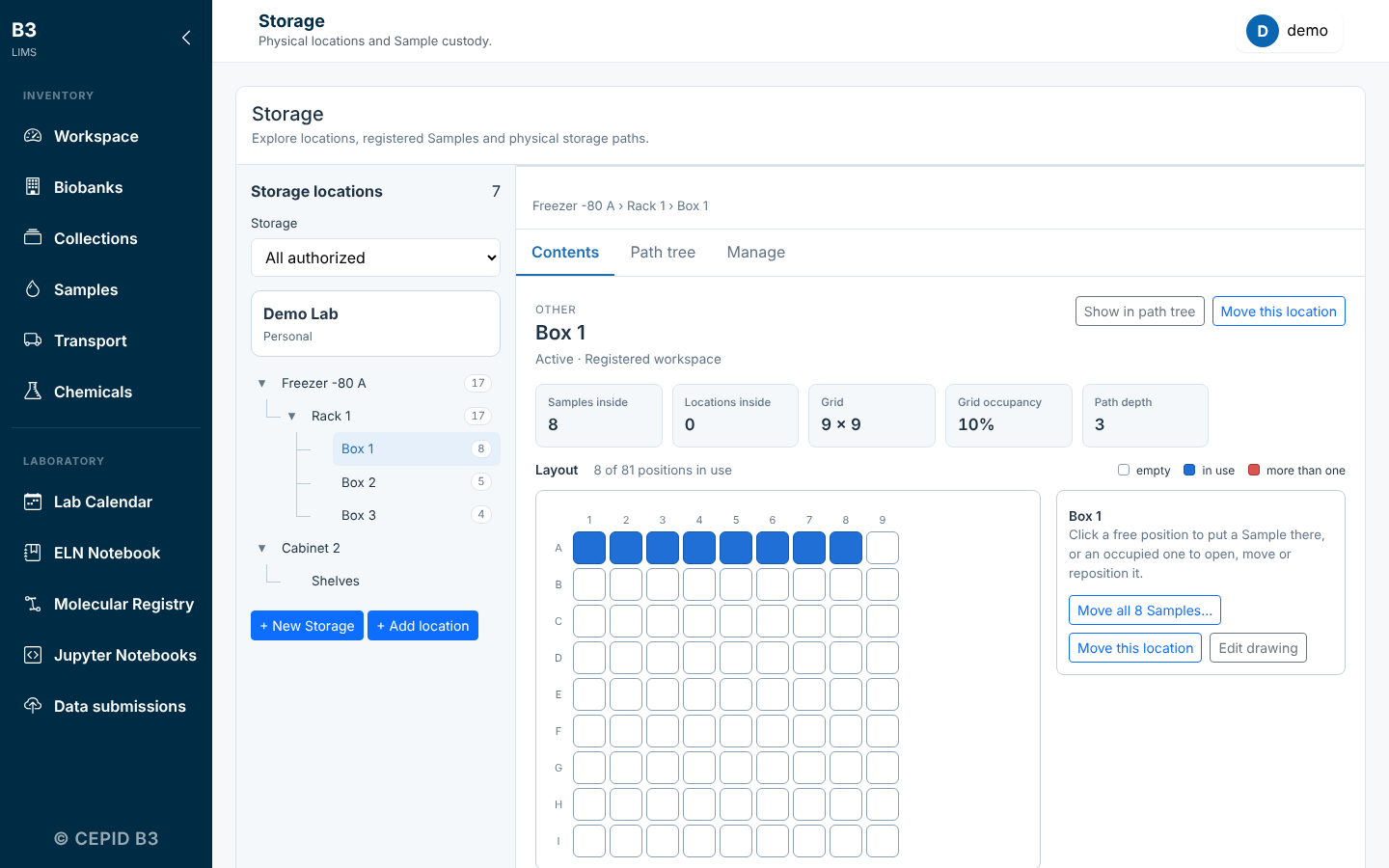
Storage is organised in workspaces (yours, or a research group's) that contain locations: freezer, rack, box, shelf. A box can be a grid (rows and columns) or have named compartments.
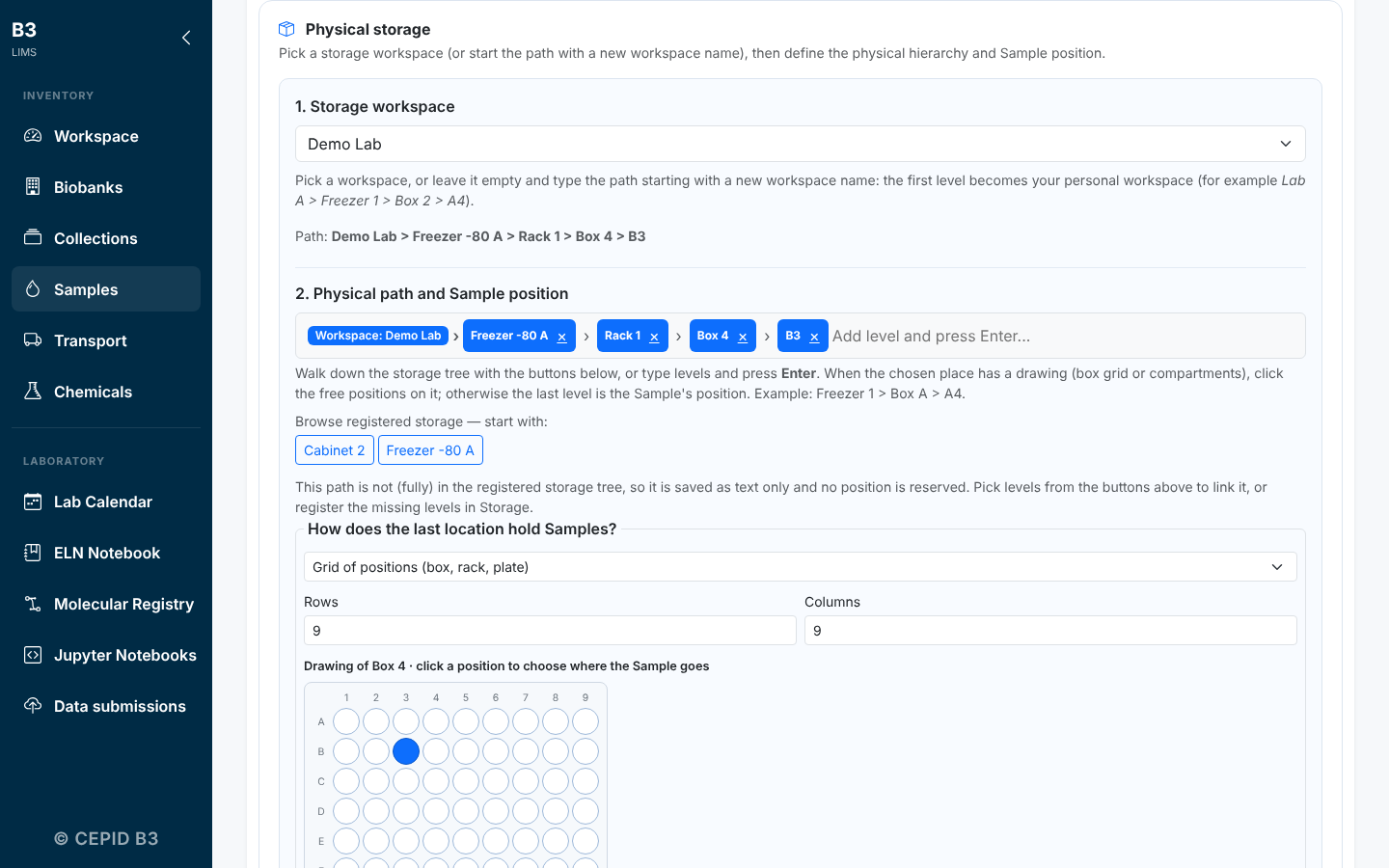
- When you register a sample, type the path (
Freezer A > Rack 1 > Box 2) or pick the levels with the buttons. If the first level is new it becomes your workspace. When the last place has a drawing, click a free position on it. - To move a box or a sample, select it in the tree and choose the destination; you can move between workspaces if you manage both sides. Every move is recorded in History.
Electronic lab notebook
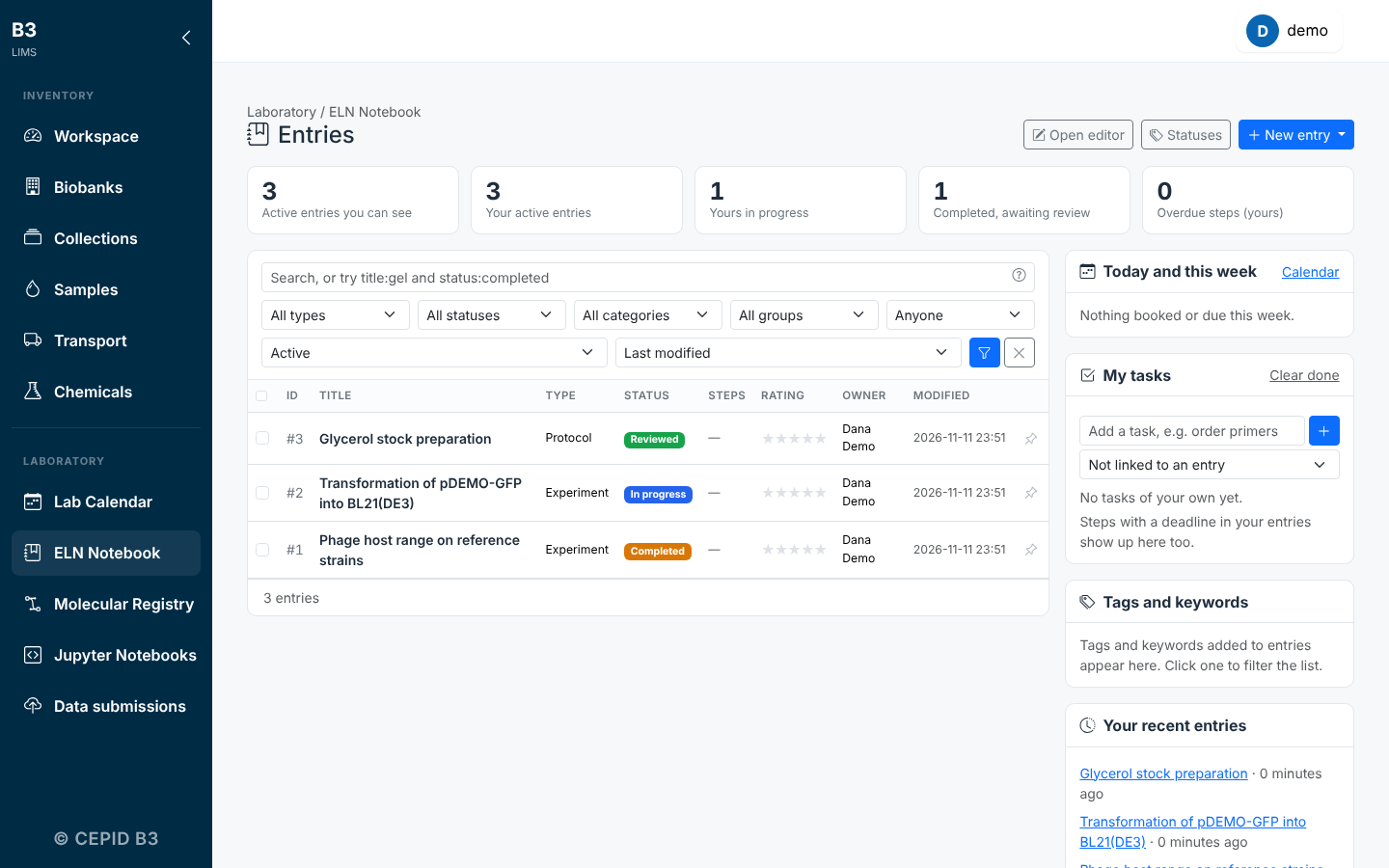
Entries (experiments, protocols, analyses) have rich text, steps, tables, attachments, tags and links to samples, reagents and molecular records. Signing an entry locks it; changes after that are amendments with a reason. Templates can be shared with your group.
Molecular registry
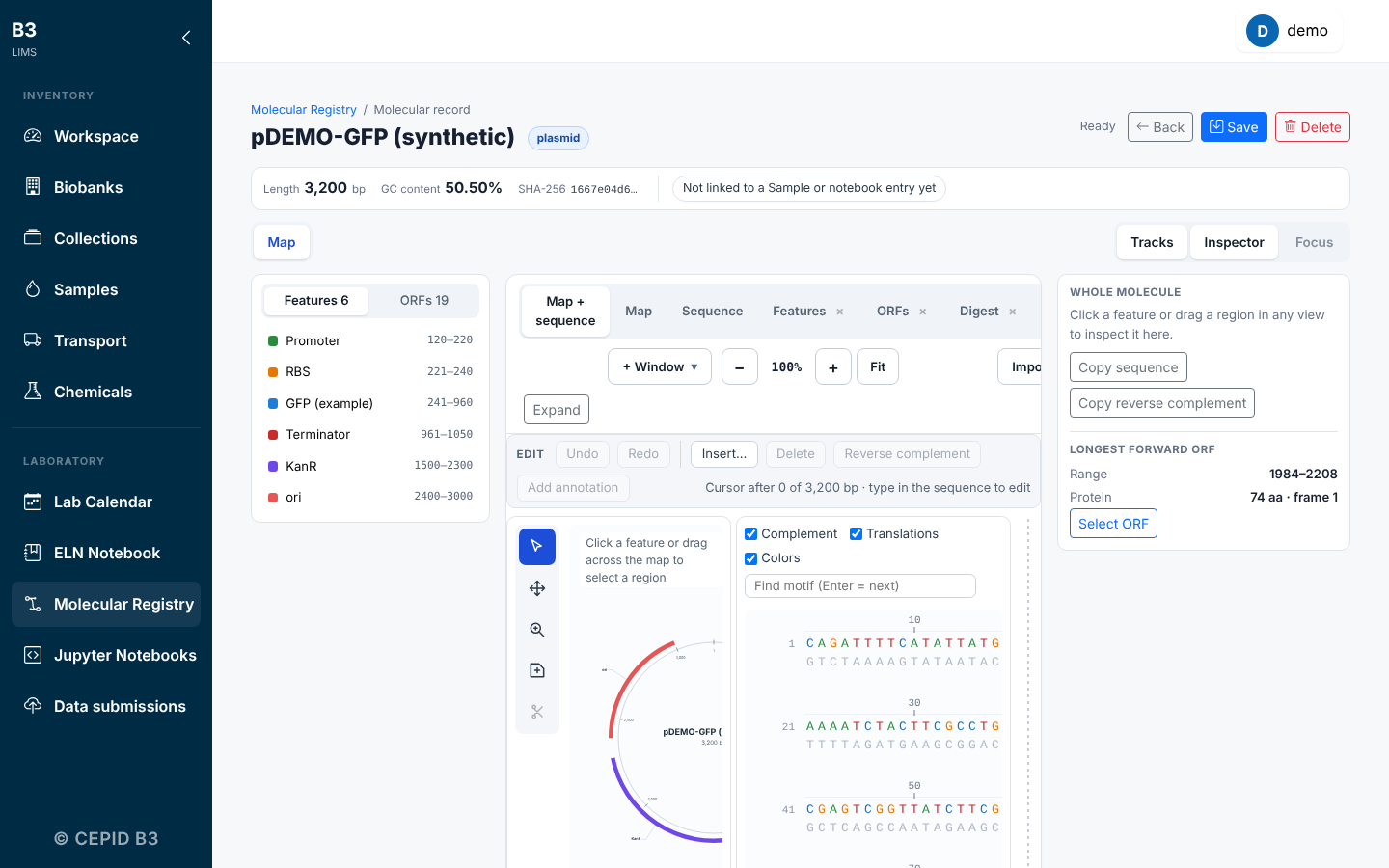
Register DNA, RNA, plasmids, primers and proteins. Drop a GenBank, SnapGene, FASTA, EMBL or ApE file on the page: the name, type and sequence come from the file, and nothing has to be typed. Each record has a map, features, ORFs, restriction digest, a primer Tm calculator with adjustable reaction conditions, alignments and, for proteins, 3D structure.
Shipments and compliance
Plan a shipment, generate the transport documents your institution asks for (MTA/TTM, sender and content declarations, GMO/CIBio notification), print package labels and record receipt.
Calendar and history
The Lab Calendar books equipment. History lists what was done to samples (entries, moves, changes); you see your own activity, and administrators see everything.
Who can see what
Access follows roles at three levels: biobank (owner, manager, editor, viewer), collection and research group. Samples are private until you share them or mark them public. Every file download and export checks permission.
Making B3 LIMS fit your laboratory
Administrators (users marked as staff) have two pages for this:
- Sample types (button on the Samples page): add your own types such as Cell line or Nucleic acid, each with an ID prefix and its own fields, written one per line (
Passage number | integer | required). The four built-in types stay available. - Interface (bottom of the menu): untick the menu items and built-in Sample types your laboratory does not use, for example the microorganism types when you only work with cells. Hiding only tidies the menu; it is not an access control, and nothing is deleted.